 FishSpeak
voice communication without bells and whistles
Snake-oiled list of features
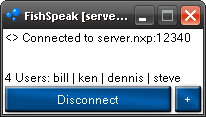
- Freeware
- No installation required and -portable
- Encryption (Blowfish)
- Low resource usage (CPU, memory, bandwidth)
- Global Hotkeys (incl. Push-To-Talk and Push-To-Mute)
- Selectable bandwidth usage on the client for in- and outgoing data (2-6KB/s)
- Constant/steady resource usage of the client, no matter the number of users connected to the server
- Cross-platform (FreeBSD, Linux, Mac OS X (Intel & PowerPC*), Windows)
- User-based or server-wide authentication
- Server can run in GUI or CLI mode (-CLI) and as windows service (-installSVC)
- Highly parallelised server to take advantage of multi-core CPUs
- Rated purfekta by Mouh
Usage of FishSpeak for the mouse-loving user
Using the command line seems totally out of this world for most people. A much simpler way to configure FishSpeak is to use a configuration file. After creating the configuration file right-click it, select "Open with..." and select FishSpeak.Depending on your platform that is:
- Windows: FishSpeak.exe
- Mac OS X: FishSpeak - the Application
- FreeBSD/Linux: FishSpeak
For more information about configuring FishSpeak read the manpage